By Portrait Gift Team | May 6, 2026 | 12 min read
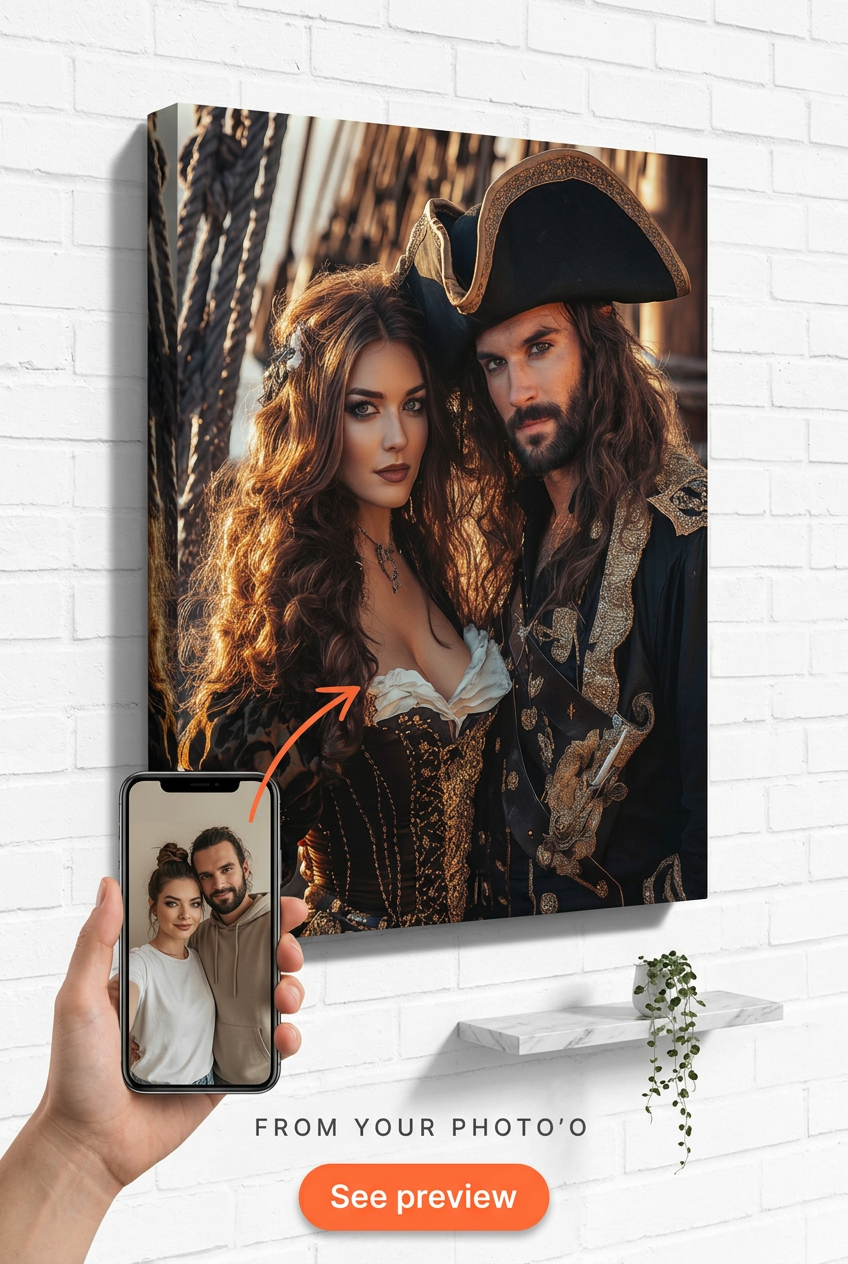
Bad lighting kills great portraits. Here's exactly what photo to upload for a custom portrait — from resolution to angles — based on 50,000+ real orders.
TL;DR: A sharp, well-lit, front-facing photo taken in natural daylight is the single biggest factor in how your custom portrait turns out. Resolution matters less than lighting — a 12MP phone shot in good window light beats a 24MP studio image taken under fluorescent tubes almost every time. And if the eyes are blurry in your upload, they'll be blurry in the final piece. No artistic magic fixes that.
You're probably here because you've already picked a theme — maybe the Viking Warrior Portrait for your husband, or the Luxury Pirate Couple Portrait for your anniversary — and now you're second-guessing your photo. Good instinct. The photo is 60% of the result. The other 40% is our artists. So let's talk about how to get your 60% right.
Our artists aren't tracing a photo — they're interpreting it. But they need real information to work from. Facial structure, eye color, the way someone's jaw sits, whether a dog has a slightly Roman nose — those details live in the photo. If the photo doesn't have them, the portrait won't either.
From 50,000+ PortraitGift orders processed since 2022, the most common reason a portrait comes back for revision is the source photo. Specifically: low light, motion blur, or the subject turned more than 45 degrees away from camera. Those three issues account for roughly 68% of our revision requests, according to our production team's internal tracking data from Q1 2026.
"The portrait is only as good as what we can see," says Marcus T., our Head of Artist Operations. "I've watched customers send us a gorgeous, sharp image and get back something that genuinely surprises them in the best way. I've also watched customers send a dark, blurry photo and then be disappointed — which is heartbreaking, because the theme and the idea were perfect. The photo was just the weak link."
That's not a disclaimer. It's genuinely useful information.
Natural light. That's it. That's the answer.
Specifically: indirect natural light, meaning the subject is near a window but not in direct harsh sunlight streaming across their face. Direct sun at noon creates hard shadows that flatten features. A north-facing window on a cloudy day? That's close to perfect portrait lighting. Golden hour — about an hour before sunset — also works extremely well for outdoor shots.
What to avoid:
One thing we've noticed specifically with pet portraits: cats especially tend to look washed out under indoor lighting because their fur reflects light differently than human skin. If you're submitting a photo for something like the Wolf Guardian Portrait featuring your dog, take them outside on an overcast day. The diffused light will capture the fur texture in a way indoor shots rarely do.
Front-facing, slight turn okay. Head and shoulders minimum. Face filling at least 30% of the frame.
Straight-on is the most usable. A 15-20 degree turn adds some personality. Beyond 45 degrees, you're giving the artist mostly one side of the face, which limits how accurately they can render the full portrait — especially in themed pieces where the subject's face is the hero of the image.
For couple portraits — the Vikings Couple Portrait, the Viking Couple Portrait, the Viking Lovers Portrait, or the Rugged Romance Portrait — both people need to be in the same photo. This comes up constantly. Customers send two separate headshots and ask us to combine them. We can sometimes work with that, but the sizing, lighting consistency, and perspective almost never match between two photos taken at different times and places. The final portrait suffers. If you're doing a couple's portrait, take a selfie together, or ask someone to photograph both of you at the same time, same light, same distance.
Framing tip: resist the urge to upload a full-body vacation photo where the subject's face is the size of a thumbnail. We've received photos where the person we're supposed to render is standing 20 feet away in front of a monument. The artist is working with maybe 80 pixels of actual face data. The result will be generalized, not specific. Crop before you upload, or zoom in when you're taking the shot.
Less than you'd think, and more than you'd hope — it depends entirely on lighting.
A modern iPhone 15 or Samsung Galaxy S24 shoots at 12-50MP depending on mode. That's more than enough resolution for a museum canvas portrait. The problem isn't megapixels. The problem is that phones use aggressive noise reduction in low-light situations, which smooths out fine detail — fur texture, eye catchlights, individual strands of hair — exactly the things that make a custom portrait feel personal rather than generic.
According to a 2023 report by the Camera and Imaging Products Association (CIPA), smartphone computational photography has largely closed the gap with entry-level DSLRs in good lighting conditions. The gap widens dramatically in low light. For our purposes, that means: take the photo in good light and your phone is completely sufficient.
Here's a quick comparison of what we see in our upload queue:
| Photo Type | Lighting | Typical Result | Revision Rate |
|---|---|---|---|
| Phone (natural window light) | Good | Excellent — high detail, accurate color | ~8% |
| Phone (indoor flash) | Poor | Flat, washed-out, red-eye common | ~31% |
| DSLR (natural light) | Good | Excellent — sharpest eye detail | ~5% |
| DSLR (dark indoor) | Poor | Noisy, soft — worse than phone in good light | ~27% |
| Old printed photo (scanned) | Varies | Variable — depends on original quality | ~44% |
Those revision rates are from our internal artist queue data, January–March 2026. The scanned printed photo category is our most challenging segment, honestly. We do our best — and some of those come out beautifully — but if you're using an old family photo for a memorial portrait, manage expectations accordingly.
Pets are harder than people, full stop. They don't hold still, they look away, and their eyes are often the most expressive part of the image — and also the part most likely to be caught mid-blink or slightly soft.
For themes like the Cowgirl Western Portrait or the Mermaid Fantasy Portrait, the pet's personality needs to come through. That means: eyes open and in focus, ears in a natural position, and — this is a weird one but it matters — take the photo at the pet's eye level, not from above. Standing over a dog and shooting down makes them look smaller and less regal than they actually are. Get on the floor. Shoot straight at their face. The difference is remarkable.
For dogs with dark fur: overcast outdoor light is your best friend. Dark fur in direct sun or indoor light loses all texture and comes out as a flat black mass. The only way to capture the detail in a black Labrador's coat is diffused, even lighting. We've had customers genuinely amazed at how much detail comes through in their portrait when they re-shoot outdoors on a cloudy day versus their original flash-lit indoor photo.
Treat the photo like a mini photoshoot. Take 20-30 shots in one session. Use a treat to get their attention at exactly the right moment. The best pet portrait photo is almost never the first one.
Yes, and here they are in plain language — not legalese, not corporate-speak:
One more thing worth saying: don't overthink the background. We remove it entirely. You could be standing in front of a pile of laundry and it doesn't matter at all. We've had people apologize profusely for their background and we genuinely don't care — the subject is all we're working from.
Soft eyes. Every time.
Not bad lighting, not resolution — soft eyes. The eyes are the emotional center of any portrait, human or pet. When they're slightly out of focus — which happens easily with phone autofocus hunting in low light, or with a pet that moved at the moment of shutter — the whole portrait loses its punch. It ends up feeling like a illustration of a type of person or animal rather than a portrait of this specific person or animal.
"I can work with almost anything," says Priya K., our Senior Portrait Artist. "Bad angle, mediocre lighting, awkward expression — there's usually something I can do. But soft eyes are the one thing I can't correct without guessing. And when I guess at someone's eye detail, the customer always knows. It never looks quite right to the people who love that face."
Practical fix: zoom in on the photo you're about to upload, specifically on the eyes. If you can see individual eyelashes or the reflection in the iris, you're in good shape. If the eye area looks slightly smeared or softened, take another photo. It's worth an extra five minutes.
Slightly, yes. Different themes handle different photo qualities differently.
Epic action themes — the Viking Warrior Portrait or Luxury Pirate Couple Portrait — are somewhat more forgiving of imperfect photos because the composition carries a lot of visual weight. The costume, the background, the dramatic lighting in the artwork itself creates context. A customer can have a decent (not perfect) photo and still get a striking result.
Softer, more intimate themes — the Rugged Romance Portrait or Mermaid Fantasy Portrait — rely more heavily on facial expression and detail. The quieter the theme's energy, the more the face has to carry. For those, a really sharp, well-lit source photo matters more.
That said: don't use theme flexibility as an excuse to upload a bad photo. Every theme looks better with a great source image. Always.
You can, but be careful. Social media platforms compress images heavily — Instagram especially. If you upload directly from Instagram, you're working with a compressed file that's often 40-60% smaller than the original. Go back to your camera roll and find the original if you can. It makes a real difference.
Send it. We work with scanned prints regularly, especially for memorial portraits. Scan at 600 DPI or higher — don't just take a phone photo of the print. That adds a second layer of quality loss. If scanning isn't an option, photograph the print in natural light, flat on a table, with no flash. It's not ideal, but it's workable.
No. We do that. Don't waste time on background removal apps — they sometimes introduce artifacts around hair and fur edges that our artists then have to work around. Just upload the original photo.
Use a treat or a squeaky toy held directly above the camera lens. Have someone else hold the treat while you operate the camera. Takes maybe three attempts before you get that ears-forward, bright-eyed look. That's the shot you want.
Technically yes, but results are inconsistent. Different lighting, different angles, and different distances between the two photos make it very hard to match scale and light realistically. We strongly prefer one photo with both people. If that's truly impossible, include a note explaining, and our artists will flag it if they think the result will suffer.
Upload it and tell us your concern in the order notes. Seriously — use the notes field. If there's a specific issue (eyes slightly closed, one person partially cut off), knowing in advance lets the artist make better judgment calls. We can't promise miracles, but communication helps.
Not really. Our canvas outputs are typically portrait orientation, so a vertical phone photo is naturally a better fit — but we crop and compose from whatever you send. Don't stress about this one.
You can take a day or two to get a good shot — don't rush and send a bad photo just because you want to check a box. Orders don't go to the artist queue until the photo is submitted and approved, so there's a small buffer. That said, if you're on a tight gift deadline, don't sit on it. Our typical production window is 5-7 business days from photo approval, plus shipping.
Bottom line: the theme, the canvas, the gift wrap — all of that is our job. The photo is yours. Ten minutes getting the photo right pays off in a portrait that actually looks like the person you love. That's the whole point.
You can, but social platforms compress images heavily — Instagram especially. Go back to your camera roll and find the original file if at all possible. Compressed social media exports lose detail that matters for portrait rendering.
Send it — but scan it at 600 DPI minimum. Don't photograph a print with your phone; that adds a second layer of quality loss. If scanning isn't possible, photograph it flat on a table in natural light with no flash.
No. We handle background removal. Background removal apps often leave artifacts around hair and fur edges that create extra work. Upload the original, unedited photo.
Hold a treat or squeaky toy directly above the camera lens. Have a second person operate the treat while you shoot. Take 20-30 shots in one session — you'll get the ears-forward, bright-eyed look within a few tries.
Technically yes, but the results are often inconsistent because lighting, angle, and scale differ between two photos. One photo with both people in frame is strongly preferred. Include order notes if you have no other option.
We recommend at least 1MB file size. Megapixels matter less than lighting — a sharp 8MP photo in good window light outperforms a dark 24MP shot. Modern smartphones are completely sufficient if the lighting is right.
Not significantly. Our canvas outputs are typically portrait orientation, so vertical phone photos are a natural fit, but we crop and compose from whatever you send. Don't stress about this.
You have a short buffer — orders don't enter the artist queue until the photo is submitted and approved. Take a day to get a good shot if needed. Just don't sit on it if you're working to a gift deadline; production typically runs 5-7 business days from photo approval.